
New Features
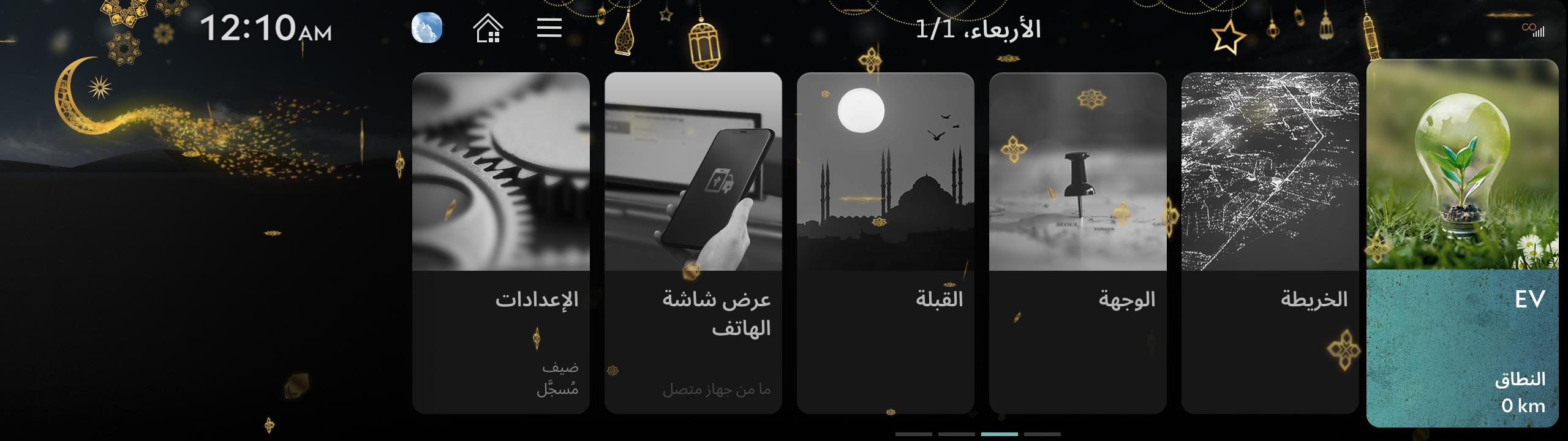
- Celebrate the spirit of Islamic holidays with Genesis.
- The Genesis infotainment system now features the season's greeting service, designed to honour these meaningful moments with you.
- On major Islamic holidays, the Home screen will display special festive imagery, creating a serene and respectful atmosphere.
- Experience a thoughtful and elegant way to commemorate these occasions with Genesis by your side.
※ This feature is available on the Home screen of vehicles equipped with the ccIC27 infotainment system and an active GENESIS Connected Services subscription.
※ Available in models: Electrified GV70 26MY, GV60 26MY, GV80 26MY, GV80 Coupe 26MY, GV70 26MY, G80 26MY
< ccIC27 >
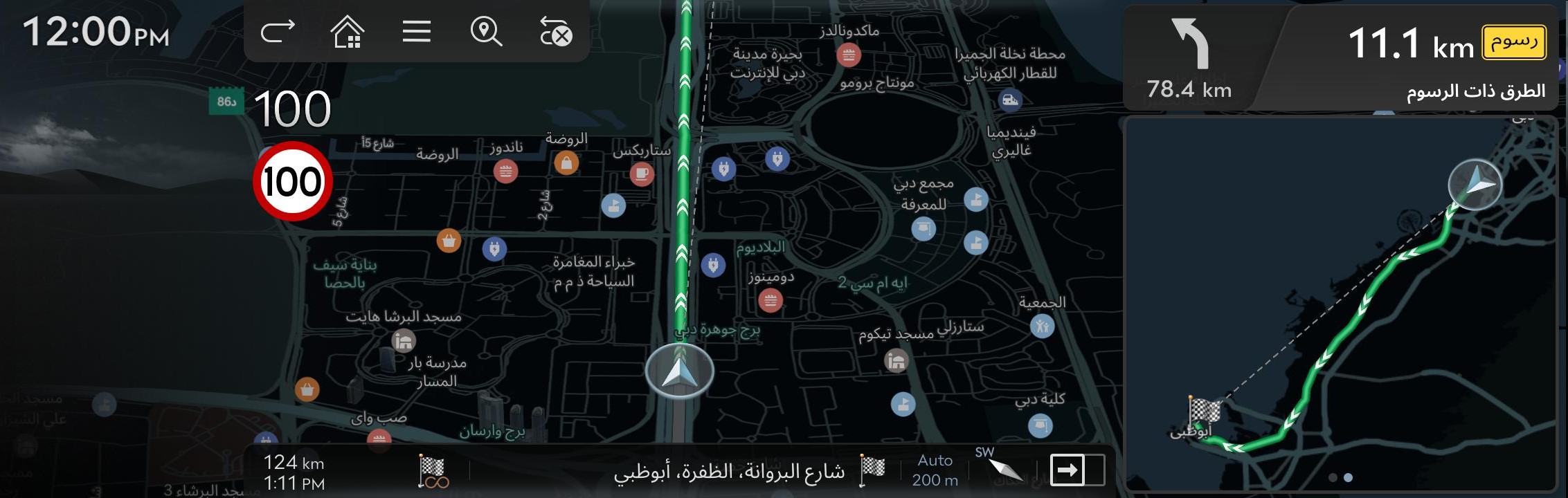
- The latest maps are now always available without the need for a separate navigation update (OTA).
- With this update, the new online navigation system provides optimal route guidance by downloading the latest road information from the server in real time—similar to how smartphone navigation apps work.
- Previously, navigation relied on offline maps stored in the vehicle, which were combined with traffic data from the server. However, due to infrequent map updates, newly opened roads were often not reflected in the guidance.
- The new online navigation system downloads only the necessary map data for the area around the vehicle and the route to the destination, ensuring efficient and up-to-date guidance. It continuously checks for the latest map data, so drivers can always enjoy the most current navigation experience—without having to manually update maps.
- In environments where network connectivity is limited, such as tunnels or mountainous areas, the system automatically switches to offline mode using maps stored in the vehicle. This ensures not only uninterrupted navigation but also the smooth operation of all vehicle-integrated features, including navigation-based smart cruise control.
※ This feature is available in vehicles equipped with the ccIC or ccIC27 infotainment system and subscribed to Genesis Connected Services.
※ Available in models: Electrified GV70 26MY, GV60 26MY, GV80 26MY, GV80 Coupe 26MY, GV70 26MY, G80 26MY
< ccIC27 >
Types of Head Units Available to Update
Provides navigation update about map and improvements. For the new version information, please refer to ‘List of eligible vehicles available to download’ in this notification.
- Navigation systems available to update : Systems with the following representative screen


- Premium-class Gen 5 Navigation(12.3 & 9.2 in. Touchscreen)


- Premium-class Gen 6 Navigation(14.5 in. Touchscreen)

- ccIC27 Navigation(27 in. Touchscreen)


- ccIC Navigation(12.3 in. Touchscreen)


Disclaimer
-
Please only use the official NaU (Navigation Updater) software found on this website to download your map
Downloading or copying it from other sources can lead to update failures and lead to critical issues to the navigation system.
-
If you experience any issues while using the NaU software or before/after installation, please contact Genesis Customer Support
-
If your navigation system has a SD card, you need to use SD card for updating the software and map
The SD card slot is located just below/above the vehicle display screen.-
Please do not use SD card to save music or other data files
-
-
If your navigation system does not have a SD card, you need to use a USB flash drive for updating software and map
-
Please format (ExFat) the USB before using the NaU software
-
Please format (ExFat) the USB before using the NaU software
-
When selecting your vehicle, make sure the model/model year are correct before starting the download process
-
If the wrong model/model year is chosen, the update cannot be performed
-
If the wrong model/model year is chosen, the update cannot be performed
-
Please select the correct drive on your PC if you connect multiple media to your PC
-
Disconnect the media after only after confirming the download process is complete
-
Disconnect the media after only after confirming the download process is complete
-
Disconnecting the media during the download process can lead to corrupt files and a map update failure
-
Note:
-
This update provides software (that may include adding new features and removing others) and map data that may change user and interface experience
After installation, it is not possible to revert to the previous software version. -
Certain new features such as Connected Routing and Weather Data require active Genesis Connect Services subscription to access
-
This update provides software (that may include adding new features and removing others) and map data that may change user and interface experience
- Warning:
-
During vehicle software installation, engine must be running to keep the battery charged
Do not turn off the ignition switch or eject SD card/USB during upgrade procedure.
-
How to double check your car is running
- The start switch should indicate “ON” or the light on the start button is lit
-
a software update could effect the functionality of aftermarket components (i.g. aftermarket rear view camera, speakers, etc.)
-
During vehicle software installation, engine must be running to keep the battery charged

If you have any questions, please reach out to Genesis Customer Support.